
Never miss a special occasion again.
Full Circle is the birthday reminder app that remembers every birthday and anniversary for you and helps you send a warm, personal greeting in a minute. With Pro, it keeps you in touch all year long.
A 4-minute tour of the real app, shown with sample people.
Why I built it
I’ll be honest. Remembering birthdays was never my strong suit. My wife is the opposite. She keeps up with hundreds of people: the customers and team she works with, our family, friends going back decades.
But even she was losing track. The dates lived in her phone, several different calendars, a few spreadsheets, some sticky notes and her memory. A client’s anniversary would slide by. A friend’s birthday would come and go, and she’d feel terrible about it.
So I built her a tool, and the two of us fine-tuned it together until it worked the way she does. It knows every date, tells her each morning who to celebrate, and puts a ready-to-send greeting with a short video in front of her. She reads it, makes it personal if she wants, and taps Send. It goes out from her own Gmail, so it comes from her, not some company.
Then the questions started. “What if it could thank everyone who came to a class?” “Could it send a note to the whole team when someone moves up?” “How cool would it be if I could write my Christmas wishes in November?” What was I going to do, tell her no? So I built those too.
She’s been using it every day, and she loves it. We named it Full Circle, and now you can have it too.
— Max
Made for people who care about people
Business owners and their clients
Remember every client’s birthday and the day they joined you. A personal note on their anniversary says more than any sales email.
Team leaders
Keep up with the people you lead. Celebrate their wins, welcome the new ones, and make sure everyone gets remembered, not just the ones you happen to think of.
Families
Children, grandchildren, cousins, in-laws. Every birthday and anniversary, all in one place.
Friends, old and new
The friend from school, the neighbor who moved away. A greeting on their day keeps the door open.
Why not just a calendar reminder? A reminder only tells you it’s someone’s day. Full Circle has the greeting ready: a warm message and a short video, sent from your own Gmail in one tap, or a text ready to go.
What Full Circle does
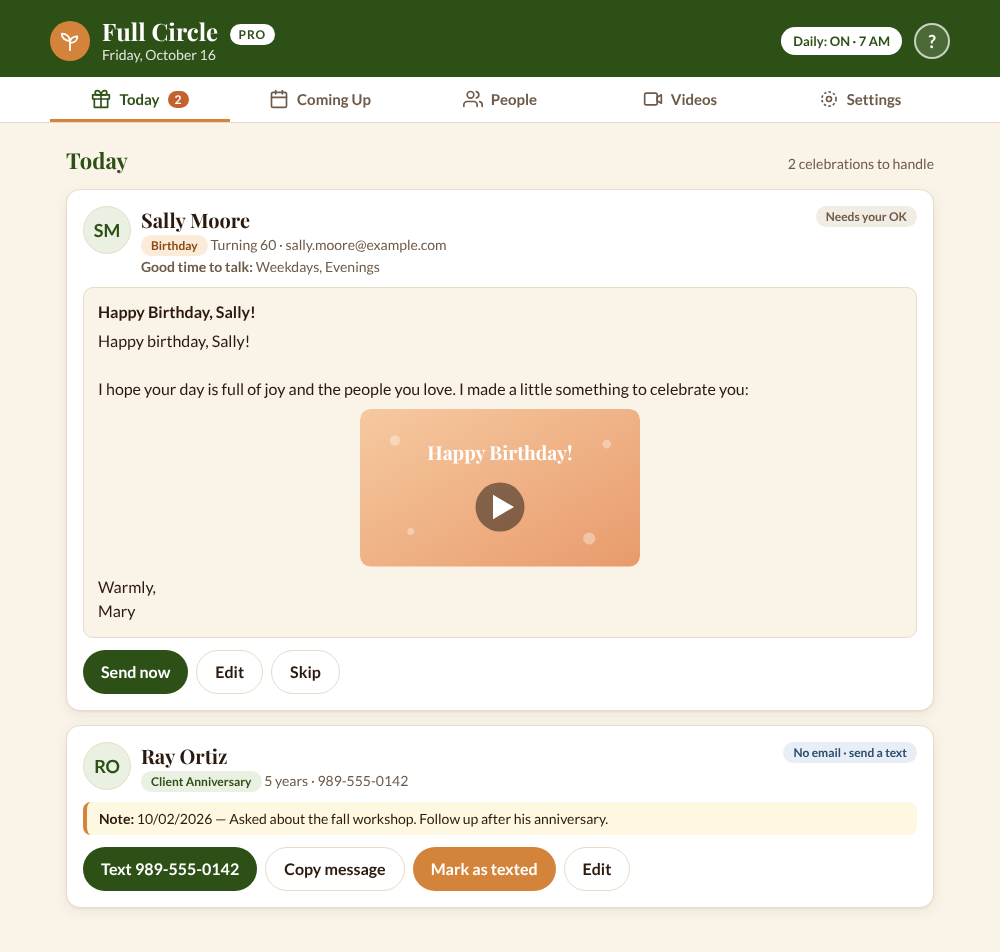
Your new five-minute morning routine: open Today, read the greetings that are ready, and send.
Shows you who to celebrate today
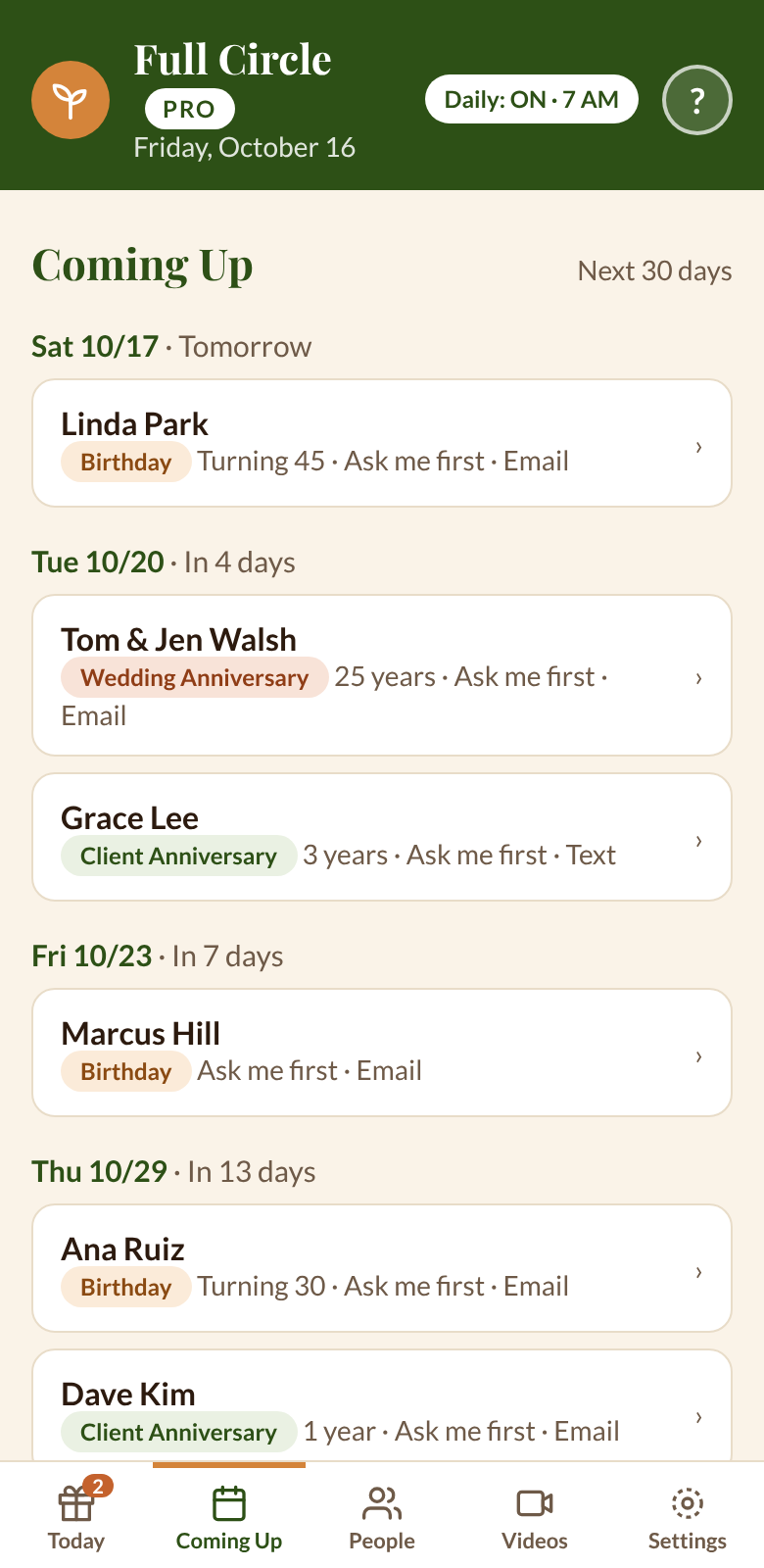
Birthdays, wedding anniversaries and client anniversaries, all on one screen, plus who’s coming up in the next 30 days.
Sends a warm greeting with a video
From your own Gmail, with a friendly message you can edit before it goes. Five videos come ready to use, or add your own.
Texts people who don’t use email
One tap opens your phone’s messages with the greeting filled in.
Catches the ones you missed
Missed a day? Belated greetings for the past week are ready with their own wording, so it’s never too late.
More than birthdays
Starter remembers the special days. Pro keeps you in touch all year: notes written ahead, words ready to go, and the right message to the right people.
Greetings that send themselves
Pick the people, and each morning their birthday and anniversary greetings go out on their own. A summary email tells you what went out.
Schedule messages for later
Write your Christmas note in November. Pick the day and time, and it goes out right on schedule.
12 ready-made templates
Holidays, thank-yous, welcomes and congratulations, already written. Pick one, add a personal line, done. Save your own favorites too.
Messages to whole groups
Tag people any way you like, such as “Preferred Customers” or “Book Club,” and send one note to the whole group. Each person’s copy uses their own first name.
Family birthdays and milestones
Add a client’s children or grandchildren, and Full Circle reminds you on their birthdays too. Big birthdays and every-five-year anniversaries get flagged ahead of time.
See who’s slipping away
Reports show who’s missing a birthday, who you have no way to reach, and who you haven’t greeted this year.
Write it now. Send it on the day.
Busy seasons are when people get forgotten. Scheduled messages let you do the thinking when you have time, and Full Circle remembers to send it.
- Write your messageStart from a template or from scratch. Add a video if you like.
- Choose who it goes toPick people by name, by tag, or a whole group at once.
- Pick the day and timeAnywhere from 6 AM to 9 PM. It goes out within the hour you choose.
- Decide how it goes“Ask me first” waits for your OK on the day. “Send automatically” sends it for you.
Nothing is locked in
Until it’s sent, you can change everything: the wording, the video, the day and time, and who it goes to. You can also cancel it or send it early.
You won’t lose track of it either. Scheduled messages wait on their own Sent & scheduled screen, show up on your Today screen when their time comes, and appear in your morning summary email. If a message is waiting for your OK, Full Circle emails you a reminder.
Never stare at a blank page again
Pro comes with 12 message templates, warm and simple, with no company names, so they fit any business or family. Use them as they are, or make them yours.
- Rank advancement
- New sign-up congratulations
- Loyalty order congratulations
- Welcome to the team
- Thank you for coming
- Sorry we missed you
- Merry Christmas
- Happy holidays
- Happy Thanksgiving
- Happy New Year
- Thinking of you
- Just checking in
Wrote a message you love? Click Save as template and it’s there next time. Every message fills in each person’s first name and your sign-off automatically.
Recognition that keeps your team together
If you lead a team or a customer group, you already know the secret: people stay where they feel noticed. Full Circle Pro makes noticing easy, without adding hours to your week.
Celebrate every win
Rank advancements, new sign-ups and loyalty orders each have a ready-made note. Congratulate people the day it happens.
Welcome new people warmly
Send a “Welcome to the team” note the day they join. After that, Full Circle remembers their client anniversary every year.
Follow up after every event
Tag who came and who didn’t. Send “Thank you for coming” to one group and “Sorry we missed you” to the other, the same evening.
Stay in touch between orders
“Thinking of you” and “Just checking in” are ready for the people you haven’t heard from. The Not Greeted report shows you who they are.
Every message goes out from your Gmail, signed with your name. No company logo, no “sent by” line, nothing that feels like a mass mailing.
What staying in touch looks like
Birthdays and anniversaries take care of themselves. Here’s what the rest of a year can look like.
A “Happy New Year” note you scheduled back in December goes out on the 1st.
Someone on your team moves up. A congratulations note goes out the same day.
“Thank you for coming” to everyone who showed up, “Sorry we missed you” to the rest.
A quick look at the reports. Anyone you haven’t greeted this year gets a “Just checking in.”
Your Thanksgiving message goes to the people you’re grateful for, scheduled for that morning.
Christmas and holiday notes, written while things are quiet and sent on the day.
Three ways to open Full Circle
Full screen on your computer
Its own browser tab or desktop icon. One click and you’re in.
Right inside your spreadsheet
Click Full Circle, then Open Full Circle. Works the moment you’re set up.
On your phone
An icon on your Home Screen, iPhone or Android. Send greetings from anywhere.
See it in action
This is the real app, shown with sample people.
It arrives from you
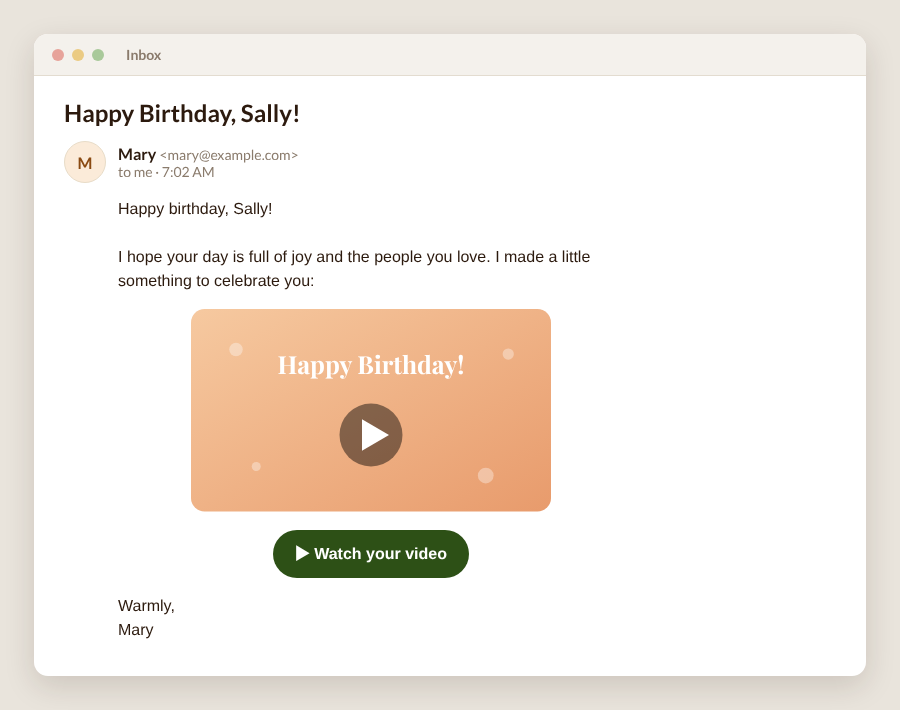
Your greeting lands in their inbox from your own Gmail address, signed with your name, with a picture of the video and a big Watch button.
No company logo, no “sent by” line. Just you, remembering.
Your list stays yours
Full Circle runs inside your own Google account. You buy it once and it’s yours, with no monthly fee.
- Your people live in your own Google Sheet, protected by your Google password.
- We never see your list. Nothing is sent to us or anyone else.
- Greetings go out from your own Gmail, only when you say so. Full Circle can send email as you, but it can’t read your email.
- Pro: bring your Google Contacts in, and send people you add in Full Circle back out to Google Contacts, so your phone and Full Circle stay in step.
- Download your whole list any time, as an Excel or CSV file.
Starter or Pro?
Both are a one-time purchase. Both work on your phone and computer.
Everything you need to remember every special day and send each greeting yourself. You add your people one at a time.
- Today, Coming Up and People screens
- Birthday, anniversary and client anniversary greetings
- Email greetings with your own video
- One-tap texting
- Belated greetings for ones you missed
- Notes, extra phones, best time to talk
- You review each greeting before it goes
- Full screen, in your spreadsheet, or on your phone
For a bigger list and a busier life: greetings that send on their own, messages planned ahead, and the tools to keep everyone in order.
- Everything in Starter, plus:
- Daily greetings that send automatically, plus a morning summary email
- Schedule messages for later: ask first, or send automatically
- 12 ready-made message templates, plus your own
- Tags, saved views and messages to whole groups
- Google Contacts in about 2 minutes, and new people sent back out
- Family birthdays, milestone alerts, related people and photos
- Duplicate finder and reports: who’s missing a birthday, who you haven’t greeted
- RECONNECTING, my wife’s guide to reaching back out
Starting with Starter? Moving up to Pro later costs just the $40 difference. Your upgrade code comes with your Starter purchase.
About contacts: Starter is built for adding people one at a time, and it isn’t designed to import a contacts file. Have a long list? Pro brings in your Google Contacts in about 2 minutes.
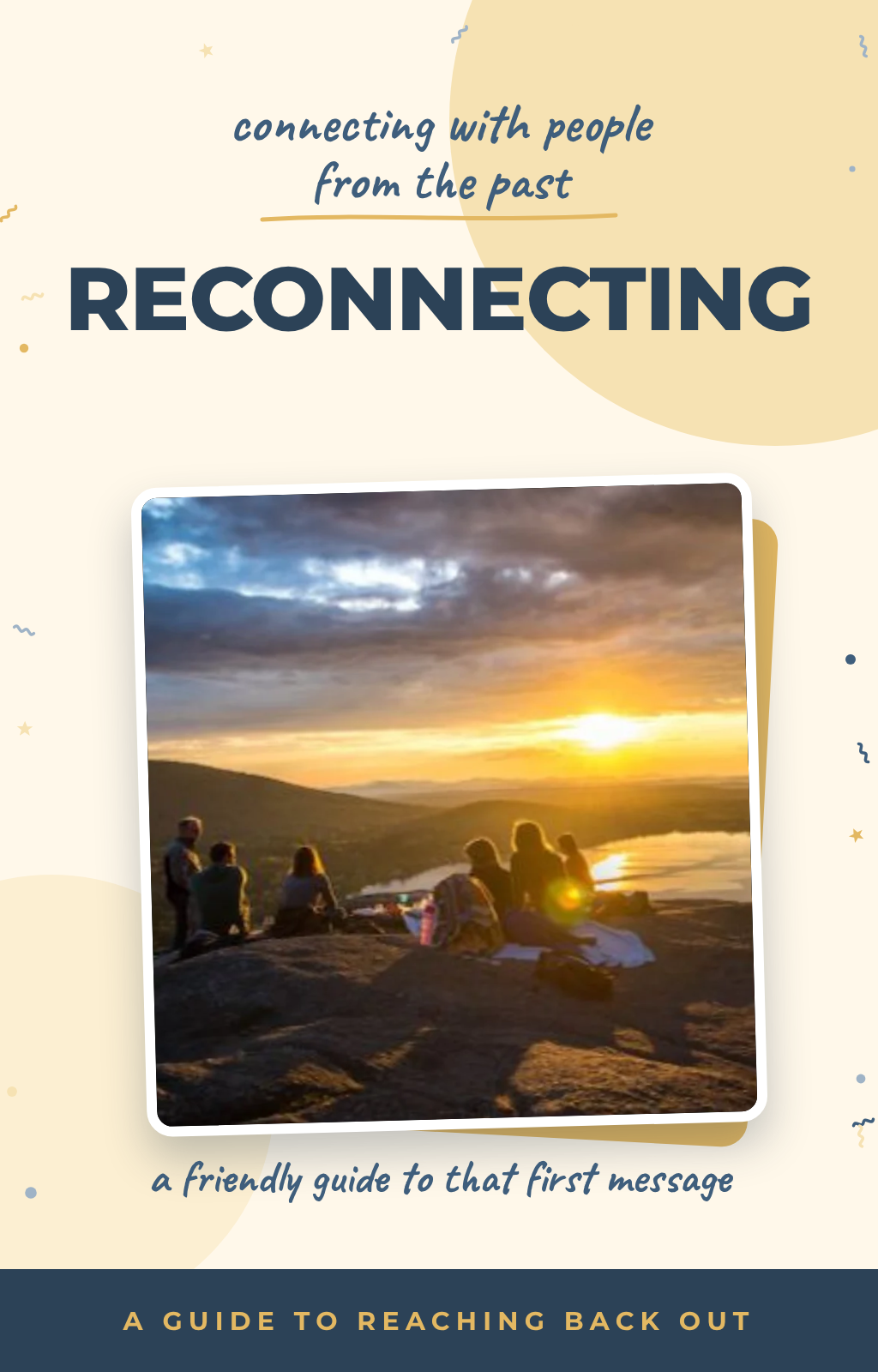
About RECONNECTING
My wife wrote RECONNECTING for anyone who’s lost touch with someone and isn’t sure how to reach back out, whether it’s been two years or thirty. It’s her friendly, step-by-step approach to that first message. It’s a separate guide, not a manual for the app, and it comes free with Pro.
RECONNECTING brings them back. FULL CIRCLE keeps them close.
Our 30-day promise
Give Full Circle a real try. If the setup gives you trouble, email us within 30 days and we’ll help you get it running. If it’s still not right for you, we’ll refund your purchase.
Questions
Who is Full Circle for?
Anyone who wants to remember the people who matter and actually reach out: business owners and their clients, team leaders, families and friends. It sorts everyone into Team, Clients, Family, and Friends & Others.
What do I need?
A Google account (a free Gmail account works) and a computer for the one-time setup. After that, use it on your phone or computer. Chrome works best.
How long does setup take?
About 5 minutes to get going: make your copy, say yes to Google, and Full Circle opens. Putting it full screen and on your phone is one more short, optional step. Picture guides walk you through every click.
Google showed me a warning during setup. Is that normal?
Yes. Full Circle runs in your own account, and Google shows a one-time “unverified app” notice for tools like this. The guide shows exactly what to click.
How safe is my information?
Your list lives in your own Google Sheet, in your own Google account. Full Circle runs as you, inside Google. Nothing is sent to us or anyone else, and we can’t see your list. Greetings go from your Gmail only when you say so.
Will it send anything without asking me?
Only if you tell it to. Greetings wait on your Today screen until you press Send. In Pro, you can choose to have greetings sent automatically for the people you pick, and each scheduled message can either wait for your OK or send by itself. You choose every time.
Can I write a message now and send it later?
In Pro, yes. Write it, choose who it goes to, and pick a day and a time between 6 AM and 9 PM. Google sends it within the hour you pick, so 8 AM means between 8:00 and 9:00. Until it goes out, you can change the wording, the video, the time and the people, or cancel it.
What are templates?
Ready-made wording for common messages, so you don’t start from a blank page. Pro comes with 12 (holidays, thank-yous, welcomes, congratulations and check-ins), and you can save your own. Each one fills in the person’s first name and your sign-off.
Can I send one message to a group of people?
In Pro, yes. Pick people by name or by tag, and each person gets their own copy with their own first name. It’s for personal notes to the people you know, not mass marketing.
How do I add people?
In both versions: People, then + Add person. Type what you know (name, email, phone, birthday or anniversary) and save. Don’t know the birth year? Leave it blank.
Can I bring in my Google Contacts?
Pro: yes. Export your contacts from Google and import the file in about 2 minutes, birthdays included. Starter: no. Starter is built for adding people one at a time and isn’t designed to import a contacts file. Your list is a regular Google spreadsheet, so pasting rows into it is possible, but that’s at your own risk, and we can’t help with it or be responsible for problems it causes.
How do I keep Full Circle and Google Contacts in step?
In Pro, it works both ways. Into Full Circle: export a fresh file from Google Contacts and import it again. New people are added and empty details are filled in, and nothing you’ve already entered is overwritten. Back to Google Contacts: click Download for Google Contacts, then import that file at contacts.google.com. Full Circle doesn’t change your Google Contacts by itself, so your address book is never touched without you.
Can I get my list out?
Yes, any time. Your list is a Google spreadsheet, so File, then Download saves it as an Excel or CSV file.
Can I use it on my phone?
Yes, on iPhone or Android. A one-time step on your computer gives you your own app link: open it full screen on your computer, and add it to your phone’s Home Screen.
Is there a monthly fee?
No. One payment, and it’s yours.
How many greetings can it send?
Gmail lets a regular account send about 100 automated emails a day. That’s plenty for personal greetings and group notes. It isn’t meant for mass marketing.
Do I have to film my own videos?
No. It comes with five videos ready to go: birthday videos for women, for men and for anyone, plus a wedding anniversary and a client anniversary video. You can swap in your own anytime.
Can I upgrade from Starter to Pro later?
Yes. Your Starter purchase includes an upgrade code, so moving up costs just the $40 difference, and your Pro guide shows how to move your people and greeting history across in about 10 minutes. No starting over.
Who do I contact for help?
Email us at fullcirclereconnect@gmail.com. A real person answers.
The people in your life notice when you remember.
Full Circle makes sure you always do.
— Max
Sold and delivered through Gumroad.